
Office network rack organisation helps Hyderabad businesses maintain, troubleshoot and expand their IT more confidently. In Hyderabad workplaces, where routers, switches, patch panels, CCTV recorders and internet equipment often share limited space, clear rack organisation can reduce avoidable downtime and make every service visit more efficient.
This practical guide explains how to improve an existing rack or plan a new one without unnecessary complexity.
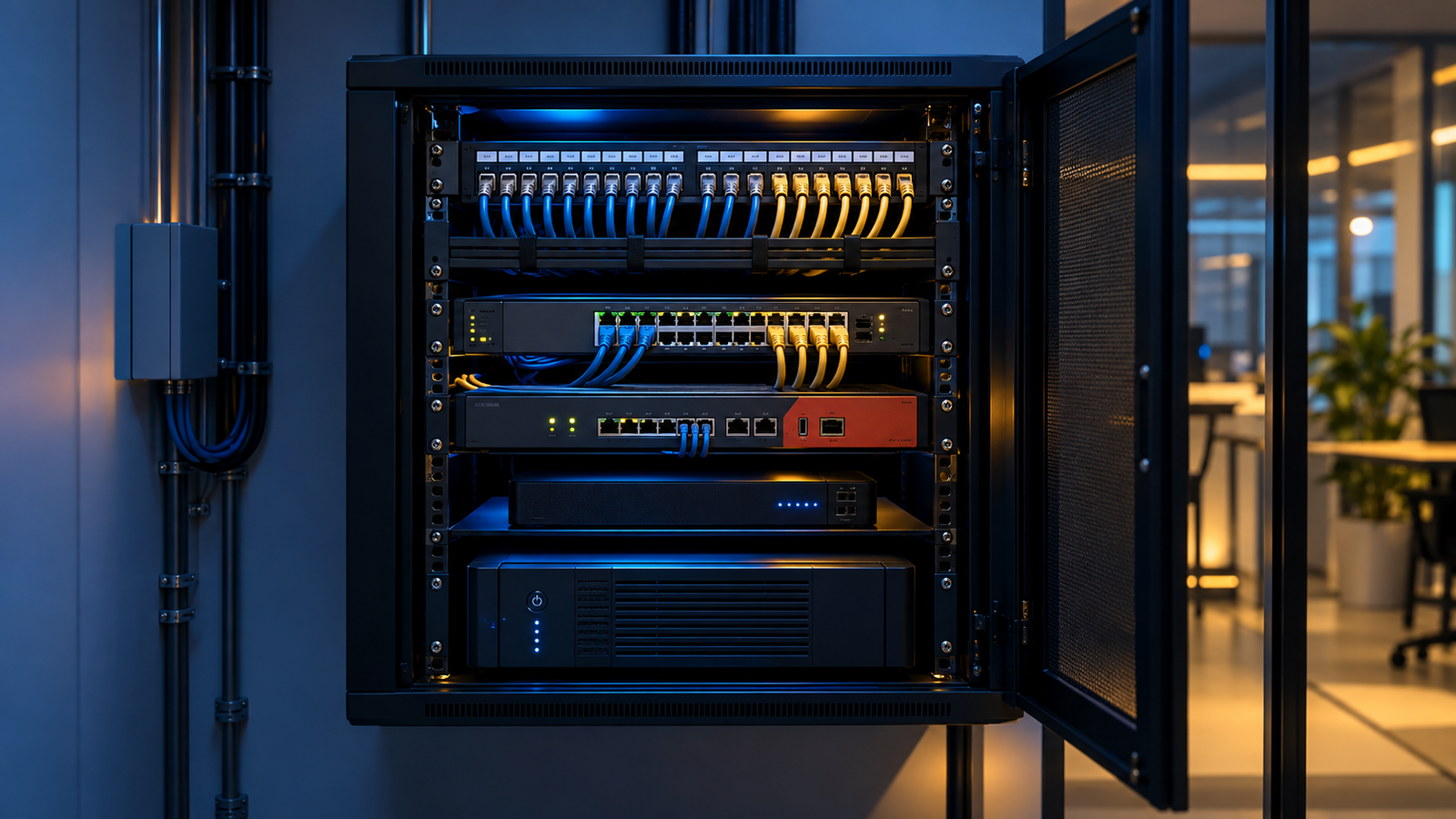
Why network rack organisation matters
A rack is more than a cabinet. It is the central point connecting computers, Wi-Fi access points, printers, IP cameras, servers and internet services. Tangled patch leads, blocked airflow and unlabelled ports make faults harder to trace. A structured layout gives your team a clearer view of what is connected and leaves room for future changes.
1. Record the equipment before changing anything
List every device in the rack, including the router, firewall, switches, patch panels, NVR or DVR, power distribution unit and UPS. Note model numbers, active ports and current cable destinations. Photograph the rack before disconnecting anything so the original arrangement can be referenced if required.
2. Plan a logical rack layout
Group related equipment together. Patch panels and network switches should be positioned to keep patch leads short and easy to follow. Heavier UPS units normally belong lower in the rack, while equipment that needs regular access should remain reachable. Leave sensible space for airflow and future additions.
3. Label ports and cable destinations
Use consistent labels at both ends of each cable. A label might identify a floor, room, desk, access point or camera—for example, “Meeting Room AP” or “Reception Camera 02”. Maintain a simple port schedule showing which wall outlet connects to each patch-panel and switch port.

4. Replace damaged or unsuitable patch leads
Check for broken clips, sharply bent cables, crushed insulation and leads that are far longer than necessary. Use correctly rated network cable for the required link and avoid mixing unidentified cables. Short, suitable patch leads improve visibility and reduce clutter.
5. Separate data and power neatly
Route data cables and power leads through appropriate organisers without pulling them tightly. Avoid running loose mains cables across network ports or ventilation openings. Velcro-style reusable ties are usually better than overtightened plastic ties because they support later changes without crushing cable bundles.
6. Protect airflow and control heat
Network switches, firewalls, recorders and UPS systems produce heat. Keep vents clear, remove unnecessary obstructions and confirm that cabinet fans operate correctly where fitted. In Hyderabad’s warmer months, a closed or dusty rack in an unventilated area can become a reliability risk.
7. Check power and backup arrangements
Use a suitable rack power distribution unit and identify which devices have UPS backup. Do not overload sockets or rely on loose extension boards inside the cabinet. Test the UPS periodically and record battery condition, estimated backup time and replacement history.
8. Verify every connection after organising
After the work is complete, confirm internet access, local network connectivity, Wi-Fi uplinks, printers, CCTV recording and remote viewing where applicable. Check switch-port indicators and document any unused or faulty ports. A tidy rack is only successful when all required services work correctly.
9. Create a simple maintenance schedule
Review the rack regularly for dust, heat, loose power connections, damaged patch leads, unexpected devices and nearly full switches. Update labels and the port schedule whenever a desk, camera or access point is moved. Scheduled checks help prevent small issues becoming urgent faults.

When should you call a network technician?
Professional support is useful when the rack has undocumented connections, repeated dropouts, overheating, damaged cabling, insufficient switch capacity or critical equipment without backup power. A technician can trace connections, reorganise the cabinet and recommend practical improvements without disrupting more systems than necessary.
Network rack support in Hyderabad
SV IT Solutions helps Hyderabad homes and businesses with LAN installation, network maintenance, Wi-Fi setup, firewall configuration and CCTV connectivity. We can review an existing cabinet, organise patching, label connections and test the network after the work.
Need help with an untidy or unreliable network rack? Contact SV IT Solutions or call +91 81437 67670 to discuss your Hyderabad office setup.